
한 줄만 넣으면 완성본이 나오는 구조
유튜브 설명 영상에서 요즘 가장 잘 나가는 포맷은 복스(Vox) 스타일입니다. 찢은 종이 질감 위로 흑백 사진 컷아웃이 떠다니고, 큼직한 도형과 지도가 움직이고, 손으로 그린 듯한 동그라미가 화면에 그려집니다. 촬영본이 아니라 움직이는 잡지 지면에 가깝습니다.
문제는 사람이 많이 붙는다는 점이었습니다. 대본 쓰는 작가, 그림 그리는 일러스트레이터, 그걸 움직이는 모션 디자이너, 목소리 넣는 성우까지 최소 넷입니다. 그래서 개인 창작자에게는 진입 자체가 막혀 있었습니다.
vox-motion-graphics 스킬은 이 넷을 클로드 대화창 하나로 접습니다. 힉스필드 MCP를 연결해두고 스킬을 첨부한 다음 원하는 길이만 말하면, 트렌드 조사부터 최종 MP4까지 사람 개입 없이 돌아갑니다. 주제를 안 줘도 스킬이 알아서 찾습니다.
- 스킬의 여섯 단계 파이프라인트렌드 조사 → 리서치 → 스타일 키 → 대본 → 클립 → 내레이션 → 합성이 무슨 순서로 도는지
- 슬라이드쇼로 죽지 않는 스토리 설계관통 오브젝트, 질문 훅, 페이크 원테이크 등 실제로 조회수를 가르는 다섯 장치
- 프롬프트 전문 공개스타일 키 프롬프트와 블록 프롬프트 템플릿을 게이트 없이 그대로
- 실측 크레딧 표1분 영상 한 편에 실제로 얼마가 드는지 모델별 확인값
- 함정 정리세로 프레임이 가로로 나오는 문제, 프리셋 가로채기, 모더레이션 차단까지
두 가지 하우스 스타일
스킬은 룩을 두 개 들고 있습니다. 소재에 따라 골라 쓰면 됩니다.
믹스드 미디어 콜라주가 기본값입니다. 밝고 평평한 편집 디자인 톤이고, 클립 안에는 글자를 넣지 않고 자막은 마지막 합성 때 굽습니다. 데이터 이야기, "왜 X인가" 류 설명, 쇼츠에 잘 맞습니다.
페이퍼 디오라마 다큐는 세피아 신문지 질감의 입체 디오라마입니다. 검은 막대로 얼굴을 가린 컷아웃 인물, 불에 탄 주황색 한 가지만 쓰는 강조색, 소품 위에 활판으로 찍은 글자가 특징입니다. 지정학, 돈, 권력처럼 무게가 있는 소재나 시네마틱한 느낌을 원할 때 씁니다.
| 항목 | 믹스드 미디어 콜라주 | 페이퍼 디오라마 다큐 |
|---|---|---|
| 톤 | 밝고 평평한 편집 디자인 | 세피아 신문지, 시네마틱 |
| 기본 엔진 | Gemini Omni Flash | Seedance 2.0 |
| 클립 내 글자 | 없음 (자막은 합성 때) | 소품 위 활판 글자 허용 |
| 잘 맞는 소재 | 데이터, 생활 밀착, 쇼츠 | 지정학, 돈, 권력 |
| 레퍼런스 파일 | `references/vox-prompts.md` | `references/diorama-doc.md` |
시작 전 준비
준비물은 두 개뿐입니다. 클로드와 힉스필드 계정, 그리고 둘을 잇는 MCP 커넥터입니다. 클로드 혼자서는 이미지도 영상도 만들지 못하기 때문에 생성을 담당할 플랫폼을 붙여줘야 합니다.
힉스필드 MCP 연결
0/6 완료
터미널로 클로드 코드를 쓴다면 명령어 한 줄로도 끝납니다.
$ claude mcp add --transport http higgsfield https://mcp.higgsfield.ai/mcp
Added HTTP MCP server higgsfield

$ claude mcp list
higgsfield  http  https://mcp.higgsfield.ai/mcp  ✓ connected
연결은 1분도 걸리지 않고, 한 번 붙여두면 다시 설정할 일이 없습니다. 이제 클로드가 힉스필드에게 직접 이미지와 영상, 목소리를 만들라고 시킬 수 있는 상태가 됩니다.
스킬 전문: 그대로 복사해서 쓰세요
여기서부터는 실제로 돌린 스킬 파일 전문입니다. 요약하거나 잘라내지 않았고, 세 파일 모두 실행본 그대로입니다. 아래 구조로 저장하면 클로드가 관련 요청을 받을 때 스킬을 알아서 불러옵니다.
설치 위치
📁.claude
📁skills
📁vox-motion-graphics
📁references
클로드 코드를 쓰면 프로젝트 폴더에 위 구조로 저장하면 끝입니다. 클로드 앱에서 쓴다면 SKILL.md 전문을 프로젝트 지침이나 대화 첫 메시지에 붙여넣어도 같게 동작합니다.
SKILL.md: 파이프라인 본체
스킬의 판단 기준이 전부 여기 들어 있습니다. 기본값, 스토리 설계 규칙, 여섯 단계 절차, 단계별 호출 형태, 실패 대응까지 클로드가 읽는 원문 그대로입니다.
---
name: vox-motion-graphics
description: >
  Produce a complete narrated motion-graphics explainer video end-to-end with
  Higgsfield MCP: trend/topic research, fact-checked script, a locked style
  key, animated clips, documentary voiceover, and one final assembled MP4.
  Two house styles: Vox-style Mixed Media collage (flat editorial, burned
  subtitles) and cinematic paper-diorama documentary (sepia newsprint worlds,
  censor-bar cutouts, letterpress props, fake-oner FPV energy). Use this
  skill whenever the user asks for a "Vox-style video", "motion graphics
  explainer", "animated explainer", "data-driven video", "cinematic paper /
  newspaper collage documentary", "make a video about X", "make a video
  about something trending/viral", a video "like the AI bubble reference",
  or just "run the vox pipeline" — even when no topic is given (the skill
  finds a trending topic itself). Also use it for faceless narrated
  shorts/YouTube videos on geopolitics, money, or power via Higgsfield.
---

# Vox-Style Motion Graphics Explainer (Higgsfield MCP)

Turn one request — a topic, or nothing at all — into a finished Vox-style
explainer video: bold editorial collage visuals, a documentary narrator, tight
fact-driven writing, one final MP4. The pipeline runs on the Higgsfield MCP
`video-explainer` workflow with the **Mixed Media** preset as the default look.

**The Vox look, in one line:** archival photo cutouts with paper edges drifting
over flat color fields and textured paper, halftone accents, hand-drawn circles
and underlines, abstract growing charts and maps, snappy camera pushes — a
motion-designed magazine spread, never a filmed scene.

**Two house styles** — pick per brief, each with its own reference file:

- **Mixed Media collage** (default; `references/vox-prompts.md`) — flat, bright,
  playful-editorial; no text in clips, subtitles burned at assembly. Best for
  data stories, "why X" explainers, shorts.
- **Paper-diorama documentary** (`references/diorama-doc.md`) — cinematic sepia
  newsprint dioramas, censor-bar cutout figures, one burnt-orange accent,
  letterpress text ON props, fake-oner FPV camera. Best for geopolitics,
  money, power, anything the user wants "cinematic" or high-energy. Comes
  with a ready style key and a registry of reusable prop assets.

## Operating mode

This skill is built to run **hands-off**. The user delegates everything:
topic discovery, script, voice, assets, assembly. That means:

- If the user gave a topic, angle, duration, or voice preference — honor it.
  Everything they didn't specify, decide yourself using the defaults below.
- Right before submitting the first **paid** generation, post one short plan
  message (topic, angle, block count, voice, estimated credits) so the user
  can interrupt — then **proceed immediately without waiting for approval**,
  unless the user asked to be consulted.
- Never stop mid-pipeline to ask a question you can answer with a default.
  Delivering loose clips instead of an assembled MP4 is a failure.

Deviation note: the underlying Higgsfield `video-explainer` workflow asks the
user to pick style and voice interactively. This skill intentionally
pre-answers those questions (Mixed Media preset, auto-picked documentary
voice) because the user has delegated the whole run. Only show the preset
gallery / voice picker if the user explicitly asks to choose.

## Defaults

| Setting    | Default                                | Override when… |
|------------|----------------------------------------|----------------|
| Style      | Mixed Media preset, id `80e4dd7b-cd65-42d4-b191-b58d62558602` | user names another preset or supplies reference images |
| Aspect     | 9:16 vertical (shorts/TikTok/Reels) — pass `aspect_ratio: "9:16"` explicitly on every clip; the style key alone does NOT set framing (verified: `gemini_omni` defaults to 16:9 regardless of a vertical key) | user says YouTube/landscape → 16:9 |
| Duration   | 1 minute → N = 6 blocks (N = minutes × 6, each block = one 10s clip) | user gives a length (1–10 min) |
| Character  | Faceless (no mascot)                   | user asks for a host/mascot |
| Language   | English narration                      | user asks otherwise (prompts stay English regardless) |
| Voice      | Auto-pick a deep, measured documentary narrator from `list_voices` | user wants to choose → show the picker and wait |
| Subtitles  | ON, font `anton` (bold condensed — fits the editorial look). Costs 0.05 credit per voiced block — mention it in the plan message. | user says no subtitles |

## Story engine (what separates a banger from postcards)

A sequence of pretty, disconnected scenes reads as a museum slideshow. What
makes the reference-grade videos hit:

- **One through-line object.** A single physical metaphor travels through
  EVERY block and escalates (a burning fuse crossing all scenes, a balloon
  being pumped toward a needle). The viewer holds it the whole runtime; the
  finale pays it off. Design this object before writing any block.
- **A question hook, answered last.** Put the question ON a prop
  ("WHO PAYS?", "WHO BLINKS?") in block 1 or the finale; the narration
  withholds the answer until the kicker.
- **Fake-oner.** Write every clip as one continuous FPV camera move that
  begins and ends in full motion blur (dive, whip, flare, fall) — hard cuts
  between blocks then read as one unbroken shot. Parallel generation, no
  frame-matching needed.
- **An impact every ~3 seconds** (slam, stamp, shockwave, snap) and at least
  one speed ramp per block (slow-mo beat → whip). Alternate extreme macro
  and wide diorama; whiplash the scale (giant face → ant-sized figures →
  colossal prop).
- **One reveal shot** the whole video is remembered by (crowd arranged into
  a meaningful silhouette, a reveal only visible when the camera cranes up).

## Pipeline

| Phase | What happens | Tools |
|---|---|---|
| T Topic | use the given topic, or research what's trending and pick one | WebSearch / WebFetch |
| R Research | gather verified facts, numbers, names; keep a Sources list | WebSearch / WebFetch |
| 1 Style key | resolve the Mixed Media preset into a style-reference media_id (free) | `resolve_explainer_preset` (or `generate_image` for 16:9) |
| 2 Script | N narration blocks, Vox formula, ~20–24 words each | reasoning (free) |
| 3 Block prompts | N labeled video prompts in the Vox visual language | reasoning (free) — templates in `references/vox-prompts.md` |
| 4 Clips | N × 10s clips, style key attached to every one | `generate_video` (`gemini_omni`) |
| 5 Voice | one narrator, N takes, same voice_id on every block | `list_voices` + `generate_audio` (`seed_audio`) |
| 6 Assemble | stitch clips + takes into one MP4, burn subtitles | `explainer_video` |

Read `references/vox-prompts.md` before Phase 1 — it holds the style
descriptor, the block-prompt template with worked examples, and the negative
list. Phases T, R, 2, 3 are free; 1 (preset branch), 4, 5 cost credits.

**Job model:** every `generate_*` call submits an async job and returns a job
id. Poll with `job_status { jobId, sync: true }` where the server exposes it;
if not, check completion via the tool-result/notification stream or
`show_generations`. A completed job id is reused directly as a
`medias[].value` on later generations and as `video`/`audio` in Phase 6 —
you rarely need the raw URLs. Use `get_cost: true` on one `generate_video`
call before Phase 4 to estimate total spend for the plan message.

## Phase T — Topic

**Topic given** → use it, go to Phase R.

**No topic** → find one that's popular *right now*:

1. WebSearch 2–3 angles: `trending topics this week <current month year>`,
   `most searched questions this week`, plus one vertical the user cares
   about if known (tech, money, science, sports…).
2. A good Vox-able topic has: a **"why/how" question** at its core, at least
   one **surprising number or reversal**, strong **visual potential** (maps,
   charts, objects, archival imagery), and broad appeal. "Why X is suddenly
   everywhere", "The real reason X costs so much", "How X quietly changed Y"
   are the shape you want.
3. Avoid: breaking tragedies and active disasters, raw celebrity gossip with
   no data angle, anything you can't verify with two independent sources.
4. Pick the strongest candidate yourself and state it in the plan message
   (with one runner-up in case the user swaps).

## Phase R — Research

Never script from memory. WebSearch the chosen topic, fetch the 2–3 best
sources, and collect: the hook stat, 3–5 concrete facts/numbers/dates, the
counterintuitive turn, and who/what/where specifics that make blocks vivid.
Cross-check every number against a second source. Keep a short **Sources**
list and include it in the final delivery message. No fabricated quotes, no
invented numbers — a vague true line beats a specific false one.

## Phase 1 — Style key

**Default (9:16):** call `resolve_explainer_preset` with preset id
`80e4dd7b-cd65-42d4-b191-b58d62558602` (Mixed Media). The returned
`media_id` IS the style key — attach it as `medias: [{ value: <media_id>,
role: "image" }]` on **every** clip in Phase 4. This branch is free. The
preset image is 9:16, and `gemini_omni` inherits framing from the key, so
the video comes out vertical.

**16:9 requested:** the preset key would force vertical framing, so instead
generate your own landscape Vox-style key with `generate_image`, model
`nano_banana_pro`, `aspect_ratio: "16:9"`, using the STYLE KEY prompt in
`references/vox-prompts.md`. Poll to completion; that job id becomes the
style key. (Costs one image generation.)

## Phase 2 — Script (Vox formula)

Write N blocks, labeled `Block 1 … Block N`, one per 10s clip. Each block is
**~20–24 words** (~8–9s spoken; hard ceiling ≈9.5s — a slight overrun gets
pitch-safe speed-up at assembly, a big one needs a shorter line). Plain
spoken text only: no stage directions, no parentheticals, numbers spelled
out ("seventy percent", "twenty twenty-four").

Structure the N blocks like a Vox piece:

- **Block 1 — cold open.** The most surprising fact or question, stated
  flat. No greeting, no "in this video".
- **Block 2 — stakes.** Why this is weird or why it matters to the viewer.
- **Middle blocks — evidence.** One idea per block, each anchored to a
  concrete number, date, place, or comparison from Phase R. Escalate.
- **Block N−1 — the turn.** The counterintuitive reveal, the "but here's
  the thing".
- **Block N — resolution + kicker.** Land the answer, end on a line that
  reframes the opening fact.

Tone: curious, precise, a little wry. Short declarative sentences. The
narrator explains, never hypes.

## Phase 3 — Block prompts

Write N video prompts, one per block, each visually translating its
narration line into the Vox collage language. Use the exact labeled template
and the scene vocabulary in `references/vox-prompts.md`. Two rules that are
easy to forget:

- **No readable text anywhere in the clips.** AI-generated lettering
  garbles; typography beats are expressed as abstract highlight bars,
  redaction blocks, circles and underlines instead. Real captions are burned
  server-side in Phase 6.
- **No one speaks on screen.** The `AUDIO:` line is ambient/SFX/music only;
  narration is added per block at assembly.

## Phase 4 — Clips

**Engine choice:**

- `gemini_omni` — 30 cr/clip, fast, workhorse for Mixed Media collage. Also
  the only engine that renders recognizable politician likenesses from
  descriptions (see moderation map in `references/diorama-doc.md`).
- `seedance_2_0` — 45 cr (720p std) / 90 cr (1080p), ref-grade cinematic:
  executes in-prompt cuts ("Shot 1 … Cut to shot 2"), real speed ramps and
  FPV moves, native SFX sound design (`generate_audio: true`) that survives
  under the voiceover. Default for the diorama style and any "make it
  impressive" brief; call template in `references/diorama-doc.md`.

Submit N `generate_video` jobs — style key on every single one (plus any
reusable prop assets as extra `image_references`):

```
generate_video
  model: "gemini_omni"
  prompt: <Block N video prompt>
  duration: 10
  resolution: "720p"
  medias: [ { value: "<style key media_id or job id>", role: "image" } ]
```

Pass `aspect_ratio` explicitly ("9:16" or "16:9") — despite what the base
workflow claims, the key image does not reliably set framing; a real run with
a 9:16 key still produced 16:9 clips. Also expect the server to intercept the
first submission with a `preset_recommendation` notice (it pattern-matches
collage prompts to its "3D RENDER" preset): decline it by resubmitting with
`declined_preset_id` from the notice's `retry_literal_with` — never accept a
photoreal/3D preset. Submit in batches, record every job id against its block
number, re-submit only failed blocks. If a clip renders photoreal/live-action, strengthen the STYLE and
NEGATIVE lines and re-run that block — two identical failures means the
prompt is wrong, not the seed. If `gemini_omni` is rejected, confirm the
current video model id with `models_explore(type: 'video')`; never silently
switch to a photoreal model.

## Phase 5 — Voiceover

1. Call `list_voices`. Auto-pick a **deep, measured, documentary** narrator
   (calm authority, not ad-read energy); note its exact `voice_id` and
   `voice_type`. Only show the picker and wait if the user asked to choose.
2. One `generate_audio` call per block, same voice every time:

```
generate_audio
  model: "seed_audio"
  voice_type: "<preset|element>"
  voice_id: "<from list_voices>"
  prompt: "<Block N line, plain text>"
```

Fitting knobs if a take runs long: `speech_rate` (-50..100) up a notch, or
shorten the line and re-voice. Record each take's job id against its block.

**Verify every take's real duration before assembling** — read `durationSec`
from the completed job (`show_generations`) and target **9.0–10.5s** per
take. The assembler centers short takes (a 7s take starts ~1.5s late — reads
as desync) and speed-compresses long ones (a 13s take gets squeezed 30% —
reads as rushed). TTS pacing is wildly unpredictable: narrator voices pause
~0.7s at every period, so choppy name-heavy lines read ~1.8 words/s while
one flowing comma-joined sentence reads ~2.5 words/s — the same word count
can differ by 4+ seconds. Prefer single flowing sentences, expect 1–2
re-voice rounds, keep the best take per block; a slight overrun beats a
late start.

## Phase 6 — Assemble (automatic, mandatory)

The moment all clips and takes are done, assemble — in the same run, without
being asked:

Before assembling, read the finished clips' actual `width`/`height` from
their job records and pass THOSE — if the clips rendered in a different
aspect than planned, the assembly must match the clips, not the plan.

```
explainer_video
  params:
    width: 720            # 1280 for 16:9 — always the clips' real size
    height: 1280          # 720 for 16:9
    subtitles: { font: "anton" }   # omit if user said subtitles off
    items:
      - { video: "<clip 1 job id>", audio: "<voice 1 job id>" }
      …
      - { video: "<clip N job id>", audio: "<voice N job id>" }
```

Blocks are fixed 10s windows: short takes are centered, slight overruns are
sped up pitch-safely, video is never stretched — total = N × 10s exact.
Poll the returned job to completion, then present the final MP4 with
`job_display`.

## Delivery

Final message: the video, the topic + angle in one sentence, the full script
(so the user can reuse it), and the Sources list. Then offer — don't run
unasked — the `youtube-seo` skill for titles/description/tags if the video
is headed to YouTube.

## Failure handling

- Clip drifts off-style → re-attach the key, tighten STYLE/NEGATIVE, rerun
  that block only.
- Voice take > ~9.5s → shorten the line or raise `speech_rate`, re-voice
  that block only.
- `voice_id`/`voice_type` errors → you skipped `list_voices`; call it and
  reuse one exact pair everywhere.
- Assembly rejects an id → the job isn't terminal yet; poll it, then retry
  assembly with all N items in order. Block N's audio always lands on clip N.
- Video job status `failed` or `nsfw` with no error text → moderation, not
  bad luck. Check the moderation map in `references/diorama-doc.md`: named
  politicians and close-up recognizable faces fail on seedance (route those
  blocks to gemini_omni or drop to mid-shot descriptions); "mushroom cloud"
  and similar flag nsfw — swap the image, keep the idea.
- User wants isolated deliverables (SFX-only track, single clips, stills):
  raw clips have no voice — narration exists only in the assembly, so
  extracting per-clip audio/frames locally (AVFoundation/ffmpeg) yields
  clean voiceless assets.
references/vox-prompts.md: 콜라주 스타일 프롬프트
기본 룩인 믹스드 미디어 콜라주의 시각 어휘, 모션 어휘, 스타일 키 프롬프트, 블록 프롬프트 템플릿과 실작동 예시, 6블록 대본 예시가 들어 있습니다.
# Vox-Style Prompt Templates

Everything here feeds Phases 1 and 3 of the pipeline. The goal of every
prompt is the same: a **motion-designed editorial collage** — the visual
grammar of a Vox video — never a filmed scene.

## The visual vocabulary

Draw scenes from this palette of devices. Every block should combine two or
three of them, chosen to literally illustrate that block's narration line.

- **Archival cutouts** — photographic subjects (people, buildings, objects)
  cut out with rough white paper borders, drifting or snapping into place
  over flat backgrounds. Photos live *inside* the collage as elements; the
  frame as a whole is never live-action.
- **Flat color fields** — bold editorial backdrops: warm yellow, off-white
  paper, deep navy, coral red. One dominant color per block, consistent
  accent palette across the whole video.
- **Paper & print textures** — grain, halftone dots, newsprint, torn edges,
  tape strips, subtle drop shadows that sell the "cut and pasted" feel.
- **Hand-drawn annotations** — marker circles drawing themselves around a
  cutout, underlines sweeping in, arrows connecting elements, scribbled
  emphasis strokes. (Abstract strokes only — never letters or words.)
- **Abstract data graphics** — bar charts growing, line graphs drawing
  themselves upward, pie slices separating, unlabeled — pure shape and
  motion, no numerals, no axis text.
- **Maps** — flat stylized maps with animated routes, pulsing location dots,
  regions filling with color.
- **Redaction & highlight blocks** — solid color bars sliding over areas,
  spotlight vignettes isolating one cutout while the rest dims.
- **Scale comparisons** — one object multiplying into rows, a small cutout
  next to a towering one, stacks growing.

## Motion vocabulary

Vox motion is snappy and intentional: quick ease-out entrances, elements
sliding/popping into place with slight overshoot, slow deliberate camera
push-ins during "listen to this" beats, whip-pans or page-flips between
ideas, parallax drift between collage layers. Something should always be
moving, but only one thing should be *loud* at a time.

## STYLE KEY prompt (only for 16:9 runs — default 9:16 uses the preset)

Use with `generate_image`, model `nano_banana_pro`, `aspect_ratio: "16:9"`:

```
Editorial mixed-media collage style swatch, Vox-documentary motion graphics
aesthetic: flat warm yellow and off-white paper background with halftone dot
texture, archival photo cutouts with rough white paper borders, torn paper
edges and tape strips, hand-drawn black marker circles and arrows, bold flat
color blocks in navy and coral, subtle paper grain and drop shadows.
Abstract composition only — no characters, no objects with faces, no
letters, no words, no numbers. Non-photorealistic, no live-action, no
realism, no 3D render.
```

## STYLE tokens (used in every block prompt's STYLE REFERENCE line)

```
editorial mixed-media collage, archival photo cutouts with white paper
borders, flat bold color fields, halftone and paper grain textures,
hand-drawn marker annotations, snappy motion-graphics animation,
non-photorealistic, no live-action
```

## Block prompt template

One per block, labeled, no timecodes:

```
Block {N}
STYLE REFERENCE: Match the attached style key EXACTLY — {STYLE tokens}.
SCENE: {the collage composition that illustrates this block's narration line:
which cutouts, which color field, which annotations/charts/maps}.
MOTION: {entrance choreography + camera move + what animates during the shot}.
AUDIO: {ambient bed + one or two paper/whoosh/tick SFX — no voice, no narration}.
NEGATIVE: readable text, letters, words, numbers, captions, subtitles,
watermark, logo, photorealism, live-action footage, 3D render, lip-sync,
talking characters, color drift.
```

The NEGATIVE line is fixed — copy it verbatim into every block. The scene
must visualize the narration's *idea*, not depict someone saying it.

## Worked examples

Narration (Block 1): *"Every day, humans throw away enough food to feed two
billion people. And most of it never even reaches a plate."*

```
Block 1
STYLE REFERENCE: Match the attached style key EXACTLY — editorial mixed-media
collage, archival photo cutouts with white paper borders, flat bold color
fields, halftone and paper grain textures, hand-drawn marker annotations,
snappy motion-graphics animation, non-photorealistic, no live-action.
SCENE: A warm yellow paper background with halftone texture. Photo cutouts of
apples, bread loaves and a full dinner plate snap into a neat grid, then one
by one flip over and tumble downward off-frame into a torn-paper "bin" shape
at the bottom. A thick black marker circle draws itself around the last
remaining plate.
MOTION: Cutouts pop in with slight overshoot in quick succession; slow camera
push-in as they begin tumbling; the marker circle draws in one confident
stroke at the end.
AUDIO: Soft paper rustles and quick whoosh ticks as cutouts flip and fall,
low minimal ambient pulse underneath — no voice, no narration.
NEGATIVE: readable text, letters, words, numbers, captions, subtitles,
watermark, logo, photorealism, live-action footage, 3D render, lip-sync,
talking characters, color drift.
```

Narration (mid-video evidence block): *"In nineteen seventy, shipping one
container across the ocean cost ten times what it does today. Then the boxes
took over."*

```
Block 4
STYLE REFERENCE: Match the attached style key EXACTLY — editorial mixed-media
collage, archival photo cutouts with white paper borders, flat bold color
fields, halftone and paper grain textures, hand-drawn marker annotations,
snappy motion-graphics animation, non-photorealistic, no live-action.
SCENE: Deep navy background. A stylized flat world map slides up from the
bottom; a coral dotted route draws itself across the ocean between two
pulsing dots. An archival photo cutout of a cargo ship rides along the route
while an abstract bar chart on the right shrinks step by step, its tallest
bar collapsing to a stub. Torn-paper container shapes multiply into a
growing stack.
MOTION: Map slides in with ease-out; route line draws left to right; camera
drifts laterally following the ship; bars shrink with snappy steps; container
stack builds with rhythmic pops.
AUDIO: Low ambient hum, soft tick per bar step, gentle ocean-paper whoosh —
no voice, no narration.
NEGATIVE: readable text, letters, words, numbers, captions, subtitles,
watermark, logo, photorealism, live-action footage, 3D render, lip-sync,
talking characters, color drift.
```

## Script example (structure reference, 6 blocks = 1 minute)

Topic: "Why food waste is a supply-chain story"

```
Block 1  Every day, humans throw away enough food to feed two billion
         people. And most of it never even reaches a plate.
Block 2  We blame picky eaters and overfull fridges. But the biggest losses
         happen long before you ever see the food.
Block 3  Nearly forty percent of waste in poorer countries happens at the
         farm — crops rot waiting for trucks that never come.
Block 4  Rich countries flipped the problem. Their food survives the journey,
         then dies in supermarkets chasing perfect-looking produce.
Block 5  Here's the twist: fixing trucks and fridges would cut more waste
         than every household campaign combined.
Block 6  So the fight against food waste isn't in your kitchen. It's in the
         boring machinery that moves dinner around the world.
```

Notice the shape: cold-open stat → stakes → two evidence beats → the turn →
kicker that reframes Block 1. Each line is one idea, ~20–24 words, numbers
spelled out, no filler.
references/diorama-doc.md: 페이퍼 디오라마 다큐 스타일
시네마틱 룩 쪽입니다. 재사용 가능한 스타일 키와 소품 자산 아이디, 시댄스 2.0 호출 템플릿, 페이크 원테이크 프롬프트 구조, 그리고 실제로 부딪혀 얻은 모더레이션 지도가 들어 있습니다.
# Paper-Diorama Documentary Style ("WHO BLINKS?" playbook)

The second house style: a cinematic vintage paper-diorama documentary —
aged sepia newsprint worlds, censor-bar cutout figures, one burnt-orange
accent, letterpress prop typography, tungsten light, macro tilt-shift.
Born from reverse-engineering a reference video and battle-tested on the
"WHO BLINKS?" nuclear-treaty explainer. Use it when the brief says
cinematic / dramatic / investigative / "like the AI bubble video", or when
the topic is geopolitics, money, or power.

## Style key

Reusable style key already generated — attach its job id as an image
reference instead of regenerating:

```
STYLE KEY (diorama): 0561c26f-ad53-44da-815d-a8796d32d864
```

If a fresh key is ever needed, the prompt that produced it
(`generate_image`, `nano_banana_pro`, 16:9):

```
Cinematic vintage paper diorama style swatch, documentary collage
aesthetic: a miniature three-dimensional landscape built entirely from
aged sepia newspaper sheets and cardboard, torn edges, layered paper
canyon walls of old newsprint, monochrome archival photo cutouts of
anonymous suited figures standing among the paper structures with black
censor bars over their eyes, one dominant burnt-orange paper prop as the
single color accent against the sepia world, distressed letterpress print
texture, warm tungsten documentary lighting with deep shadows, macro
tilt-shift lens look with shallow depth of field, film grain and dust.
Handcrafted physical paper materials only — no letters, no words, no
numbers, no logos. Non-photorealistic scene content, no live-action
people, stylized paper craft world.
```

## STYLE tokens (open every clip prompt with these)

```
cinematic vintage paper diorama, aged sepia newsprint world, monochrome
halftone print, monochrome archival cutout figures with black censor bars
over their eyes, single burnt-orange accent, distressed letterpress,
warm tungsten light, macro tilt-shift shallow depth of field, film grain,
handcrafted stop-motion paper feel, non-photorealistic, no live-action
```

## Prop typography

Unlike the Mixed Media style (which bans all in-clip text), this style
CARRIES short letterpress text on props — that's its signature. One label
per scene, 1–2 words or a number ("EXPIRED", "1,000", "AUGUST",
"WHO BLINKS?"), always described as "distressed letterpress" on a torn
burnt-orange paper element, and always fenced in the negative:
`No text anywhere except "<LABEL>". No gibberish letters…`.

## Reusable prop assets (attach to keep objects consistent)

Generated 1:1 on plain backgrounds with the style key referenced — pass
alongside the style key as extra `image_references` and say "the X from
the reference image" in the prompt so the object doesn't morph between
clips:

| Prop | Job id |
|---|---|
| Paper nuclear missile (orange nose) | 0cb0ada4-5376-44fe-8950-822425825336 |
| Aged newspaper front page (censor-bar portrait) | 4cf403d1-6791-4661-af13-7d61330accdd |
| Powder keg "WHO BLINKS?" + coiled fuse | 68d803d1-3876-4410-9be4-9d800f6913be |
| Three leader cutouts (US red tie / RU / CN) | bd35a771-ddd9-456f-827a-18027293d1b0 |

New props: `generate_image` + `nano_banana_pro`, 1:1, style key attached,
"Single reusable prop asset, centered on a plain warm off-white paper
background… Nothing else in frame."

## Engine: seedance_2_0 (ref-grade)

```
generate_video
  model: "seedance_2_0"
  duration: 10
  resolution: "720p"        # 45 cr; 1080p = 90 cr
  mode: "std"
  aspect_ratio: "16:9"
  genre: "noir"             # consistent dark grade across clips
  generate_audio: true      # native SFX/drone sound design — keep it
  medias: [ { value: "<style key>", role: "image_references" }, …props ]
```

Seedance executes in-prompt cuts ("Shot 1 … Cut to shot 2 …"), reads
"speed ramp", "FPV", "whip pan" literally, and renders real fire/embers
beautifully. Its native audio (fuse crackle, drones, impacts) survives
assembly under the voiceover — design it in the prompt ("Sound design: …
No speech.").

gemini_omni (30 cr) is the fallback — notably it renders RECOGNIZABLE
politician likenesses from descriptions where seedance refuses (see
moderation notes).

## Fake-oner block prompt shape

Every clip = one continuous camera move; every boundary hidden in motion
blur so hard cuts read as a single unbroken shot:

```
<STYLE tokens> — shot as ONE continuous high-energy FPV camera move with
aggressive speed ramps.
The shot: [emerges from motion-blurred <previous element>] … [one impact
moment every ~3s: slam / stamp / shockwave / snap] … [ends fully
motion-blurred mid-<dive/whip/fall/flare>].
Sound design: [3–5 concrete diegetic events]. No speech.
No text anywhere except "<LABEL>". No gibberish letters, no captions,
no watermark, no photorealism, no live-action.
```

Worked example (opening block of "WHO BLINKS?"):

```
…shot as ONE continuous high-energy FPV camera move with aggressive speed
ramps.
The shot: from black, EXTREME slow-motion macro of a halftone-printed
human eye on newsprint as a thick black censor bar SLAMS down over it
like a guillotine, paper dust exploding on impact. Violent speed-ramp
pull-back reveals it is a giant newspaper front-page portrait of a
heavyset elderly American statesman with a long red tie; a gust RIPS the
page away revealing a second portrait — a compact stern Russian
statesman — ripped away again to a third — an East Asian statesman —
each rip faster than the last. The camera then DIVES at full speed into a
tearing gap in a giant aged treaty document as a burnt-orange stamp
punches the letterpress word "EXPIRED" across it; the lens plunges
through the torn fibers into swirling paper dust, ending mid-dive fully
motion-blurred.
Sound design: guillotine slam with dust whump, three accelerating page
rips, one massive stamp punch, rushing paper wind. No speech.
No text except "EXPIRED". …
```

## Moderation map (hard-won)

- **Named politicians in video prompts → job FAILS** on seedance (submits
  fine, dies at render). Names are fine in the TTS voiceover.
- **Close-up recognizable statesman faces** (even described, unnamed) →
  seedance fails; **gemini_omni renders them** — route face-forward
  blocks to gemini, keep the same style key.
- Mid-shot / full-body "leader with red tie / compact Russian / East
  Asian statesman" descriptions pass on BOTH engines. Censor bars over
  the eyes both sell the editorial look and defuse likeness issues.
- **"mushroom cloud" → nsfw flag.** Replace with another silhouette
  (hourglass worked and fit the deadline theme better).
- The server intercepts stylized prompts with `preset_recommendation`
  notices (3D RENDER / IN THE DARK / DROWN IN MUSIC / FREE FALL…). Never
  accept — resubmit with `declined_preset_id` from `retry_literal_with`.
  The id only suppresses that exact preset; a new prompt may trip a
  different one.

## Music

No standalone music model is usable through this MCP (sonilo_music is
game-pipeline-only — decline, don't substitute). Options: rely on
seedance's native drone/SFX bed (usually enough), or brief an external
generator (Suno/Udio) and mix locally. A measured brief that matched the
reference: ~46 BPM heartbeat pulse, sub-bass drone + low cello, almost no
highs, 8-second breathing swells, loud open, single climax at 80% of
runtime, rapid decay to silence.
스킬이 알아서 정하는 기본값
이 스킬의 성격은 위임입니다. 사용자가 말하지 않은 항목은 전부 스킬이 정하고, 중간에 물어보지 않습니다. 유료 생성을 처음 시작하기 직전에 계획 한 줄만 알려주고 바로 진행합니다.
| 설정 | 기본값 | 바꾸는 경우 |
|---|---|---|
| 스타일 | 믹스드 미디어 프리셋 | 다른 프리셋을 지정하거나 레퍼런스 이미지를 줄 때 |
| 화면비 | 9:16 세로 (쇼츠·릴스) | 유튜브 가로를 원하면 16:9 |
| 길이 | 1분 = 블록 6개 (블록당 10초 클립) | 1~10분 사이로 지정 |
| 등장인물 | 없음 (얼굴 없는 영상) | 호스트나 마스코트를 원할 때 |
| 내레이션 언어 | 영어 | 다른 언어 요청 시 변경 (프롬프트는 영어 유지) |
| 목소리 | 차분한 다큐 내레이터 자동 선택 | 직접 고르고 싶다고 말할 때 |
| 자막 | 켬, `anton` 폰트 | 자막을 빼달라고 할 때 |
길이 환산이 단순합니다. 분 단위에 6을 곱하면 블록 수가 나옵니다. 1분이면 블록 6개, 2분이면 12개입니다. 블록 하나가 10초 클립 하나에 대응하기 때문에 총 길이는 정확히 블록 수 곱하기 10초로 떨어집니다.
슬라이드쇼로 죽지 않게 만드는 다섯 가지
예쁘지만 서로 연결되지 않은 장면을 이어 붙이면 박물관 슬라이드쇼가 됩니다. 스킬이 대본 단계에서 강제하는 장치가 다섯 개 있고, 이게 조회수를 가르는 부분입니다.
관통 오브젝트를 먼저 정합니다. 물리적인 물건 하나가 모든 블록을 통과하면서 점점 커집니다. 장면마다 이어지는 불붙은 도화선, 바늘 쪽으로 밀려가는 풍선 같은 것입니다. 시청자가 러닝타임 내내 그 물건을 붙잡고 있고, 마지막에 그 물건으로 결말을 냅니다. 블록을 쓰기 전에 이것부터 설계합니다.
질문 훅은 소품 위에 얹습니다. "누가 돈을 내는가" 같은 질문을 첫 블록이나 마지막 블록의 소품에 찍어두고, 내레이션은 답을 마지막까지 미룹니다.
페이크 원테이크는 클립을 이어 붙였을 때 한 번에 찍은 것처럼 보이게 만드는 방법입니다. 모든 클립을 카메라가 완전히 움직이는 상태로 시작하고 끝나게 씁니다. 뛰어들거나, 휙 돌거나, 빛에 타거나, 떨어지면서 끝냅니다. 그러면 블록 사이의 하드 컷이 끊김으로 안 읽힙니다. 클립을 병렬로 뽑아도 되기 때문에 프레임을 맞출 필요가 없습니다.
3초마다 충격을 하나씩 넣습니다. 쿵 내려찍기, 도장 찍기, 충격파, 딱 끊기 같은 것입니다. 블록마다 속도 변화도 최소 한 번은 넣습니다. 느리게 가다가 확 빨라지는 식입니다. 극단적인 접사와 넓은 디오라마를 번갈아 쓰면서 크기 감각을 흔듭니다.
기억에 남는 한 컷을 하나 만듭니다. 군중이 모여 어떤 형태를 이루거나, 카메라가 올라갔을 때만 보이는 무언가처럼, 영상 전체가 그 컷으로 기억되게 하는 장면입니다.
여섯 단계 파이프라인
스킬이 도는 순서입니다. 앞의 네 단계는 크레딧이 들지 않고, 실제 돈이 나가는 구간은 클립과 내레이션입니다.
스킬 실행 순서
T 주제
주제를 줬으면 그대로 쓰고, 안 줬으면 지금 뜨는 주제를 검색해서 고릅니다. 무료
R 리서치
검증된 수치와 이름을 모으고 출처를 기록합니다. 기억으로 대본을 쓰지 않습니다. 무료
1 스타일 키
프리셋을 스타일 레퍼런스 미디어 아이디로 변환합니다. 9:16 기본 경로는 무료
2 대본
블록 N개를 복스 공식으로 씁니다. 블록당 20~24단어. 무료
3 클립 프롬프트
블록마다 영상 프롬프트를 씁니다. 무료
4 클립
10초 클립 N개를 뽑습니다. 모든 클립에 스타일 키를 붙입니다. 유료
5 내레이션
같은 목소리로 블록마다 한 번씩 읽힙니다. 유료
6 합성
클립과 목소리를 하나로 붙이고 자막을 굽습니다
여기서 중요한 점은 6번이 자동이라는 것입니다. 클립과 목소리가 다 나오면 묻지 않고 바로 합칩니다. 클립만 따로 던져주고 끝내면 실패로 봅니다.
실측 크레딧
가격은 실행 시점에 힉스필드 CLI로 직접 확인한 값입니다.
| 모델 | 조건 | 크레딧 |
|---|---|---|
| Gemini Omni Flash | 10초, 720p | 30 |
| Seedance 2.0 | 10초, 720p | 45 |
| Seedance 2.0 | 10초, 1080p | 90 |
| Nano Banana Pro | 이미지 1장, 2K | 2 |
| Seed Audio | 내레이션 1블록 | 0.1 |
| 자막 | 음성 블록 1개당 | 0.05 |
1분짜리 영상 한 편을 기본값으로 뽑으면 클립 6개에 180크레딧, 내레이션 6개에 0.6크레딧, 자막 0.3크레딧이 듭니다. 스타일 키는 9:16 기본 경로에서 무료라 약 181크레딧이 한 편의 비용입니다. 시네마틱 룩으로 Seedance 2.0을 쓰면 클립만 270크레딧으로 올라갑니다.
단계별로 실제 무슨 일이 일어나는가
T 단계: 주제 찾기
주제를 주면 그대로 갑니다. 안 주면 스킬이 지금 뜨는 주제를 직접 찾습니다. 이번 주 트렌드, 많이 검색된 질문 같은 각도로 두세 번 검색하고 후보를 추립니다.
복스로 잘 나오는 주제에는 공통점이 있습니다. 핵심에 "왜" 또는 "어떻게"라는 질문이 있고, 놀라운 숫자나 뒤집기가 하나 있고, 지도나 차트나 물건처럼 그림으로 만들 거리가 있고, 관심층이 넓습니다. "왜 갑자기 X가 여기저기 보이나", "X가 비싼 진짜 이유", "X가 조용히 Y를 바꾼 방법" 같은 모양입니다.
반대로 피하는 주제도 정해져 있습니다. 진행 중인 참사와 재난, 데이터 없는 연예 가십, 독립된 두 출처로 확인이 안 되는 내용입니다.
R 단계: 리서치
기억으로 대본을 쓰지 않습니다. 고른 주제를 검색해서 가장 좋은 출처 두세 개를 열고, 훅으로 쓸 수치 하나, 구체적인 사실 3~5개, 통념을 뒤집는 지점, 장면을 생생하게 만들 고유명사를 모읍니다. 모든 숫자는 두 번째 출처로 교차 확인합니다.
지어낸 인용과 없는 숫자는 넣지 않습니다. 애매하지만 사실인 문장이 구체적이지만 틀린 문장보다 낫습니다.
1 단계: 스타일 키
이 단계가 시리즈를 하나로 묶는 핵심입니다. 기준이 되는 스타일 이미지 한 장을 정하고, 뒤에 만드는 모든 클립 요청에 그 이미지를 레퍼런스로 붙입니다. 그래야 1번 장면과 12번 장면이 같은 사람이 만든 것처럼 나옵니다.
세로 영상이 기본이면 믹스드 미디어 프리셋을 그대로 불러옵니다. 프리셋 아이디는 80e4dd7b-cd65-42d4-b191-b58d62558602이고, 돌려받은 media_id가 곧 스타일 키입니다. 이 경로는 무료입니다.
가로 영상을 원하면 사정이 다릅니다. 프리셋 이미지가 9:16이라 그대로 쓰면 세로로 끌려가기 때문에, 가로 스타일 키를 직접 한 장 만듭니다. 그 프롬프트가 아래입니다.
Editorial mixed-media collage style swatch, Vox-documentary motion graphics
aesthetic: flat warm yellow and off-white paper background with halftone dot
texture, archival photo cutouts with rough white paper borders, torn paper
edges and tape strips, hand-drawn black marker circles and arrows, bold flat
color blocks in navy and coral, subtle paper grain and drop shadows.
Abstract composition only — no characters, no objects with faces, no
letters, no words, no numbers. Non-photorealistic, no live-action, no
realism, no 3D render.
2 단계: 대본
블록 N개를 씁니다. 블록마다 20~24단어이고, 말하면 8~9초쯤 나옵니다. 9.5초를 넘기면 합성 때 속도를 올려 붙이기 때문에 급하게 들립니다.
지문이나 괄호 설명 없이 말할 문장만 씁니다. 숫자는 글자로 풀어 씁니다. 구조는 복스 기사와 같습니다.
| 블록 | 역할 |
|---|---|
| 1 | 콜드 오픈. 가장 놀라운 사실이나 질문을 담백하게. 인사 없음 |
| 2 | 이게 왜 이상한지, 왜 시청자와 상관있는지 |
| 중간 | 근거. 블록당 아이디어 하나, 각각 숫자나 날짜나 장소에 고정. 점점 세게 |
| N−1 | 뒤집기. 통념을 깨는 지점 |
| N | 결말과 한 방. 첫 블록의 사실을 다시 비추며 끝 |
톤은 호기심 있고 정확하고 살짝 건조합니다. 내레이터는 설명하고, 띄우지 않습니다.
3 단계: 클립 프롬프트
블록마다 영상 프롬프트를 하나씩 씁니다. 내레이션 문장이 말하는 생각을 그림으로 옮기는 것이지, 누가 그 말을 하는 장면을 그리는 게 아닙니다.
Block {N}
STYLE REFERENCE: Match the attached style key EXACTLY — {STYLE tokens}.
SCENE: {이 블록의 내레이션을 설명하는 콜라주 구성: 어떤 컷아웃, 어떤 색면,
어떤 주석/차트/지도}.
MOTION: {등장 안무 + 카메라 움직임 + 샷 도중에 움직이는 것}.
AUDIO: {환경음 + 종이/휙/틱 효과음 한두 개 — 목소리 없음, 내레이션 없음}.
NEGATIVE: readable text, letters, words, numbers, captions, subtitles,
watermark, logo, photorealism, live-action footage, 3D render, lip-sync,
talking characters, color drift.
STYLE tokens 자리에는 아래 문장을 그대로 넣습니다. 모든 블록에 같은 값이 들어갑니다.
editorial mixed-media collage, archival photo cutouts with white paper
borders, flat bold color fields, halftone and paper grain textures,
hand-drawn marker annotations, snappy motion-graphics animation,
non-photorealistic, no live-action
NEGATIVE 줄은 고정입니다. 블록마다 토씨 하나 바꾸지 않고 그대로 복사합니다.
실제로 어떻게 쓰이는지 예시를 보겠습니다. 내레이션이 "매일 사람들은 20억 명을 먹일 수 있는 음식을 버립니다. 그리고 그 대부분은 접시에 닿지도 못합니다"라면 이렇게 갑니다.
Block 1
STYLE REFERENCE: Match the attached style key EXACTLY — editorial mixed-media
collage, archival photo cutouts with white paper borders, flat bold color
fields, halftone and paper grain textures, hand-drawn marker annotations,
snappy motion-graphics animation, non-photorealistic, no live-action.
SCENE: A warm yellow paper background with halftone texture. Photo cutouts of
apples, bread loaves and a full dinner plate snap into a neat grid, then one
by one flip over and tumble downward off-frame into a torn-paper "bin" shape
at the bottom. A thick black marker circle draws itself around the last
remaining plate.
여기서 자주 잊는 규칙이 둘 있습니다. 클립 안에 읽을 수 있는 글자를 넣지 않습니다. AI가 만든 글자는 뭉개지기 때문에, 타이포그래피가 필요한 순간은 강조 막대나 검은 가림 블록, 동그라미와 밑줄 같은 추상 도형으로 대신합니다. 진짜 자막은 6단계에서 서버가 굽습니다. 그리고 화면에서 아무도 말하지 않습니다. AUDIO 줄은 환경음과 효과음만 담고, 내레이션은 합성 때 블록별로 얹습니다.
4 단계: 클립 생성
엔진은 둘 중에 고릅니다. Gemini Omni Flash는 빠르고 싸서 콜라주 룩의 주력입니다. Seedance 2.0은 프롬프트 안에서 컷 전환을 실행하고, 진짜 속도 변화와 FPV 카메라 움직임을 만들고, 내레이션 밑에서도 살아남는 효과음을 자체적으로 붙입니다. 디오라마 스타일이나 "제대로 만들어달라"는 요청에는 이쪽을 씁니다.
generate_video
  model: "gemini_omni"
  prompt: <Block N 영상 프롬프트>
  duration: 10
  resolution: "720p"
  aspect_ratio: "9:16"
  medias: [ { value: "<스타일 키 media_id 또는 job id>", role: "image" } ]
5 단계: 내레이션
목소리 목록을 부르고 차분한 다큐 내레이터를 하나 고릅니다. 광고 읽는 톤이 아니라 조용히 신뢰감 있는 쪽입니다. 고른 voice_id와 voice_type을 적어두고 모든 블록에 같은 값을 씁니다.
generate_audio
  model: "seed_audio"
  voice_type: "<preset 또는 element>"
  voice_id: "<list_voices에서 받은 값>"
  prompt: "<Block N 문장, 일반 텍스트>"
합성하기 전에 모든 테이크의 실제 길이를 확인해야 합니다. 목표는 블록당 9.0~10.5초입니다. 짧은 테이크는 합성기가 가운데로 밀어 넣기 때문에 7초짜리는 1.5초쯤 늦게 시작하면서 입이 안 맞는 것처럼 들립니다. 긴 테이크는 눌러서 붙이기 때문에 13초짜리는 30% 압축되며 급해집니다.
TTS 속도는 생각보다 크게 흔들립니다. 내레이터 목소리는 마침표마다 0.7초쯤 쉬기 때문에, 이름이 많고 끊기는 문장은 초당 1.8단어로 읽히고 쉼표로 이어진 한 문장은 초당 2.5단어로 읽힙니다. 같은 단어 수가 4초 넘게 차이 납니다. 그래서 끊지 말고 흐르는 한 문장으로 쓰는 편이 안전하고, 한두 번 다시 뽑을 각오를 하는 게 맞습니다.
6 단계: 합성
클립과 목소리가 전부 끝나면 그 자리에서 바로 합칩니다. 합성 전에 완성된 클립의 실제 가로세로를 읽어서 그 값을 넘겨야 합니다. 계획과 다른 비율로 나왔다면 계획이 아니라 클립을 따라가야 하기 때문입니다.
explainer_video
  params:
    width: 720            # 16:9면 1280 — 항상 클립의 실제 크기
    height: 1280          # 16:9면 720
    subtitles: { font: "anton" }   # 자막을 뺐다면 생략
    items:
      - { video: "<클립 1 job id>", audio: "<목소리 1 job id>" }
      - { video: "<클립 N job id>", audio: "<목소리 N job id>" }
블록은 10초 창으로 고정됩니다. 짧은 테이크는 가운데로, 조금 넘친 테이크는 음정이 안 깨지게 빨리 감고, 영상 자체는 늘리지 않습니다. 총 길이는 정확히 블록 수 곱하기 10초로 떨어집니다.
자주 막히는 문제
실제로 돌려보면 걸리는 지점이 정해져 있습니다. 대부분 처음 한 번만 알면 다시 안 걸립니다.
세로로 만들었는데 가로로 나옵니다
서버가 다른 프리셋을 추천하며 가로챕니다
클립이 실사처럼 나옵니다
영상 작업이 failed나 nsfw로 끝나는데 오류 설명이 없습니다
목소리 아이디에서 오류가 납니다
합성이 특정 아이디를 거부합니다
목소리 없는 클립이나 스틸이 따로 필요합니다
결과물을 어디에 쓰는가
이 공정은 복스 스타일에만 묶이지 않습니다. 대본과 스타일 키, 클립, 목소리, 합성이라는 순서는 그대로 두고 시키는 내용만 바꾸면 다른 결과물이 나옵니다.
얼굴이 나오지 않는 유튜브 채널을 운영한다면 주제만 바꿔가며 같은 파이프라인을 반복하면 됩니다. 회사 서비스 설명 영상이나 광고 소재도 같은 방식으로 뽑을 수 있고, 강의 콘텐츠도 마찬가지입니다. 다국어도 어렵지 않습니다. 장면은 그대로 두고 내레이션만 다른 언어로 다시 만들면, 자막을 번역해 붙이는 수준이 아니라 그 언어로 새로 읽어준 영상이 통째로 나옵니다.
FAQ
주제를 정말 안 정해도 되나요
코딩을 알아야 하나요
중간에 마음에 안 드는 장면이 있으면 어떻게 하나요
쇼츠로 만들면 자막이 잘리는데요
1분 영상 한 편에 얼마가 드나요
가로 영상도 되나요
힉스필드 제미나이 옴니 플래시로 페이퍼 콜라주 다큐 만들기: 스타일 시트 한 장 워크플로우
스타일 시트 한 장을 고정하고 소재별로 한 문단만 바꾸면, 제미나이 옴니 플래시가 내레이션까지 구워진 10초 콜라주 영상을 시리즈로 뽑아냅니다. 나노 바나나 2 라이트로 기준 이미지를 만들고, 힉스필드에서 영상으로 잇는 전 공정을 실측 프롬프트 전문과 함께 공개합니다.
클로드 × 힉스필드 AI 영상 스킬 3종 가이드: 캐스팅·스토리보드·촬영 지시서
클로드에 힉스필드 MCP와 CLI를 연결해 AI 광고 영상을 만드는 전 과정을 정리했습니다. 인물과 제품을 고정하는 캐스팅 시트, 15초 컷 설계 스토리보드, 시댄스 2.0 프롬프트 변환 촬영 지시서까지 스킬 3종 전문과 실측 통과 프롬프트 3종을 그대로 공개합니다.
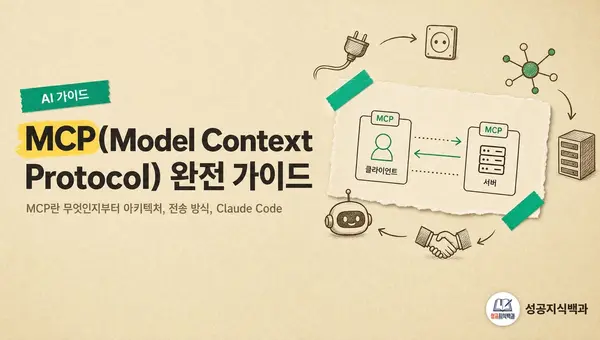
MCP(Model Context Protocol) 완전 가이드
MCP란 무엇인지부터 아키텍처, 전송 방식, Claude Code 설정법, 인기 서버 목록, 직접 서버 만들기, 보안 주의사항까지 한 곳에 정리했습니다.
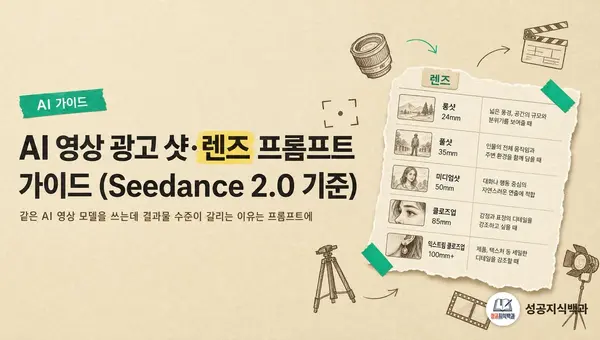
AI 영상 광고 샷·렌즈 프롬프트 가이드 (Seedance 2.0 기준)
같은 AI 영상 모델을 쓰는데 결과물 수준이 갈리는 이유는 프롬프트에 있습니다. 광고 영상에서 검증된 샷 5개와 렌즈 5개를 제품군별로 매칭하고, 상위 1% 프롬프트의 공통 구조까지 한 문서로 정리했습니다.